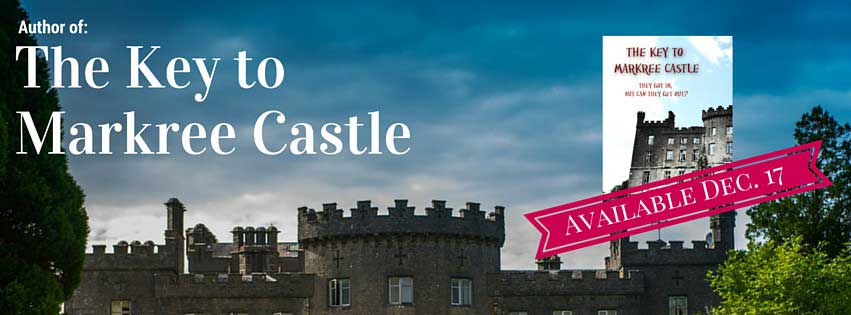
I built my new Facebook banner image in 10 minutes and it looks fabulous.
Canva supplied the exact size template for the Facebook banner. It had a bunch of ready-made ribbons, designs, fonts, but not so many that it’s too hard to choose. It had some different layouts and easy-to-choose colors.
All you need is an eye for design* and a browser and you’re set.
Did I mention it was fun? Oh, and free?
I could even rotate objects, bring them forward or backward in layers, change the color of a ribbon. It was also completely ready for the Facebook blueprint and held the spot where your photo goes.
In Photoshop (which I love, don’t get me wrong), this would have:
- Taken longer,
- Looked less good,
- Not had the elements to add (ribbons, buttons, badges, etc.),
- Been less fun.
I love when you open up a tool for the first time and it’s intuitive, easy-to-use and fun. Then it saved easily and I uploaded it to Facebook and it’s live. I’m calling that a work day. Oh wait, it’s Sunday. I’m calling that a bonus work day.**
* Eye for design is a subjective term …
** Mark Twain said, in The Adventures of Tom Sawyer, “Work consists of whatever a body is obliged to do. Play consists of whatever a body is not obliged to do.”
- Possible: upload a photo as your Facebook banner
- Impossible: use your hammer to bash in your screw
- Repossible: be open to new tools and services